
Google Business Profile or Website First? The Order I’d Use for a New Remodeler
New remodeling company: build the website or the Google Business Profile first? Here's the order I'd use and what each needs on day one.
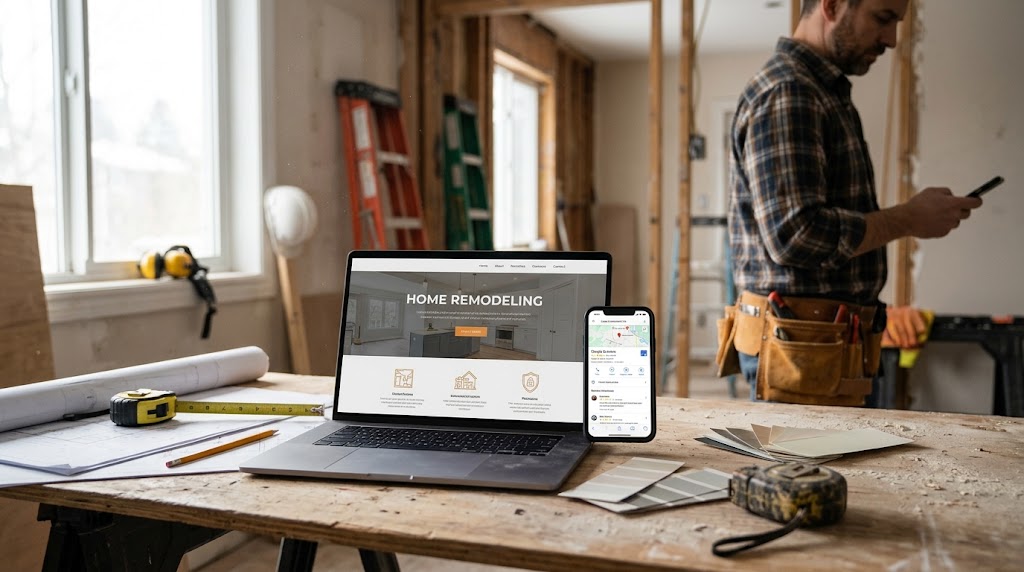
Short answer: lock your name, phone, and service area, put a lean website live, verify it in Search Console, then set up your Google Business Profile the same week.
Starting from zero online and wondering which one to build first? If you’re a brand-new remodeling company anywhere in the U.S., you don’t actually have to pick one and park the other. Google will let you launch a Business Profile with just a phone number, so the profile can technically go first. But Google also says that verifying your website in Search Console can, in some cases, let it verify your profile instantly. That’s why I start with a small, honest website and Search Console, then build the profile right behind it.
Below is the order I’d use, what each asset needs on day one, what can wait until you’ve got a few jobs on the schedule, and a launch checklist you can work through between bids.
What does each one actually do for a new remodeling company?
Most new owners treat these as two versions of the same thing. They aren’t. They do different jobs at different moments in how a homeowner finds you, and that’s why the order matters.
Your Google Business Profile
This is how you show up on Google Maps and in the local results when someone nearby searches for a remodeler. Google ranks these mainly on relevance, distance, and prominence, and it says plainly that nobody can pay for a better local spot.
Your website
This is where a homeowner goes after they find you, to check whether you do their kind of project and whether you look like a real outfit. It’s also the property you verify in Search Console, and the place Google can pull your service list from.
Google Search Console
A free Google tool that shows whether Google can find your site, what searches you appear for, and any issues on your pages. For a new company it’s the quickest way to stop guessing.
Here’s what that means for your outfit. The profile gets you seen. The website gets you trusted. Search Console tells you whether either is working. Building one and ignoring the others leaves a gap a homeowner will notice before you do.
Website or profile first? Here’s the order I’d use
Straight talk: there’s no single correct order, and anyone telling you there is hasn’t read Google’s rules closely. A profile can go live with a phone number and no website. But a few verified facts tip me toward starting with the site, as long as it’s small and you don’t let it drag on for months.
- Settle the three things that are hard to changePick the business name you’ll put on the truck, the invoices, and the site. Get a phone number you own and will answer. List the towns you actually work in. Google can ask you to re-verify when business details change, so changing these after launch costs you time you don’t have.
- Put a lean website liveNot a showpiece. A home page, a page for each service you really sell, a few project photos, and a clear phone number and contact form. You can grow it later.
- Verify the website in Search ConsoleThis takes an hour, costs nothing, and lets you check whether Google can see your pages. Google also lists Search Console website verification as one case where it can verify a Business Profile instantly. Keep the words “in some cases” in your head; it’s a shortcut you might get, not a promise.
- Create the Business Profile the same weekUse the same name and phone as the website. Set it up as a service-area business if you don’t receive customers at your address, add your towns, and pick the category that describes what you are.
- Verify, then build outUse whichever verification method Google offers you. Once you’re verified, add services, photos, and your first review requests as jobs finish.
Why not profile first and website later? You can do that, and if you’re truly a week from your first job with no budget, I’d rather you launch a clean profile with a phone number than wait. The tradeoff is that you skip the possible instant verification, and you point homeowners at a profile with nothing behind it.
Where these rules come from: every platform rule in this article comes from Google’s own pages, mainly the Guidelines for representing your business on Google, Google’s help page on managing service areas, its pages on verifying a Business Profile, the Google Search Console overview, and Google Search Central’s SEO Starter Guide. Google changes these pages without notice, so check the current version before you set anything up.
What does your Google Business Profile need on day one?
Most new remodelers I talk with want the profile to say everything. It shouldn’t. Day one is about getting the facts right so verification goes through and nothing gets suspended.
- Your real business name, exactly as it appears on your truck, invoices, and website. No “Kitchen and Bath Remodeling Experts” tacked on the end.
- A phone number under your direct control that connects to your business, not a call center or a redirect.
- Service-area setup with your address hidden, if you don’t receive customers at your location.
- Your service area, set by city or ZIP code. Up to 20 areas, within about a two-hour drive of where you’re based.
- The fewest categories that describe what your business is. Google’s test: finish the sentence “This business IS a…”
- A plain description of what you do and where. No links, no prices, no sale language.
- Your website address, once the lean site is live.
Here’s how Google’s guidelines line up for a home-based remodeler deciding how to list the business. This is the part that trips up the most new outfits.
One profile per business. A home-based remodeler listed as a service-area business with the address hidden. Service areas set by city or ZIP code, up to 20. A name that matches your real-world signage and paperwork. A phone or a website that represents your business.
A virtual office or rented mailing address you don’t work from. A P.O. box. A co-working desk without signage, staff, and customers there during business hours. Service, location, or tagline words added to your name. A radius service area. Phone numbers or links that redirect to someone else.
One caution I always add: hiding your address doesn’t guarantee it never shows anywhere. Google says it decides how best to display an address based on your information and other sources. Hide it, keep your info consistent, and don’t promise yourself more than Google does.
In its guidelines, Google uses a plumber running the business from home to explain service-area setup: clear the address from the profile and set a service area instead. Swap “plumber” for “basement finisher” or “bath remodeler” and that’s most of the new outfits I hear from. You don’t need a storefront to be legitimate on Google. You need accurate information.
What does your website need on day one?
The website’s first job isn’t ranking. It’s backing up the profile when a homeowner clicks through, and giving Google a page to verify in Search Console. That’s a short list.
The same name and phone as your profile
Google wants your name to match how you’re known in the real world, and that includes your website. Mismatches between the site, the profile, and the truck are exactly the kind of thing that makes verification harder.
One page per service you actually sell
Kitchens, baths, basements, additions, whatever’s true for you. When homeowners review a service business, Google may ask which tasks you did, and that task list can come from your profile’s services or your website. Clear service pages help the right work get named.
Real project photos, even a few
No stock kitchens. If you’re brand new, a handful of finished jobs from before you went out on your own, clearly labeled, is more honest than borrowed images.
The towns you serve, in plain words
A sentence or two naming where you work, matching the service area on your profile. Not a block of 40 town names; Google calls that keyword stuffing.
A phone number and a short contact form
Make it easy to call from a phone at a job site. That’s how most homeowners will reach you.
Then set expectations honestly. Google’s SEO Starter Guide says changes can take anywhere from a few hours to several months to show in search, and it suggests waiting a few weeks before judging whether something worked. A quick way to check if Google has found your site at all is a site: search, such as site:yourcompany.com. If nothing comes back, Search Console will tell you why.
Three new-outfit situations, and the order I’d use for each
The five-step order above fits most new remodelers. But your situation changes the call, so here’s how I’d adjust it.
Your first job starts next week and you have no budget for a site
Launch the profile first with your real name and a phone you answer. Google allows a profile with a phone number and no website. Set it up as a service-area business, add your towns, and verify with whatever method Google offers. Then build the lean site within the next month and add the link. You give up the possible instant verification, but you don’t lose a week of being findable while you wait on a website.
You’ve got finished projects but haven’t settled the business name
Stop and settle the name first. Everything else depends on it: the truck, the invoices, the domain, the profile. Google says your profile name has to match how you’re known in the real world, and a name change after verification can send you back through it. An extra week deciding is cheaper than redoing all of it.
You run a shop or showroom where homeowners actually visit
Then you may not be a pure service-area business. Google describes a hybrid business as one that serves customers at its address and also travels to them. That kind of business can show its address and set a service area, as long as the location has permanent signage and is staffed during the hours you list. If you only use the shop for storage and paperwork, list it as a service-area business and hide the address.
In all three cases the rule underneath is the same: get the facts right once, then build. Speed matters less than not having to undo anything.
What slows verification down or costs you trust?
Verification is where most new remodelers lose a week or two. Google picks the verification method for you, and you can’t change it. Sometimes it asks for more than one. Review takes up to five business days, and occasionally longer. Here’s what makes it worse.
Editing your details while a postcard is in the mail
If Google sends a postcard, most codes arrive within 14 days and expire after 30. Change your name, address, or category while you wait and the code won’t work. Request a new one and the old one dies. Lock your details first.
Buying an address to look established
Virtual offices and P.O. boxes aren’t eligible, and a co-working desk only qualifies with signage, staff, and customers there during business hours. It’s tempting when you’re new. It’s also the fastest way to make verification harder.
Keyword-stuffing the business name
Google says adding service, location, or tagline words to your name isn’t permitted and can get the profile suspended. Your name is your name.
Showing up unprepared for a video
Google recommends video verification when you’re eligible. It has to be one live, unedited recording of at least 30 seconds from your phone. Wing it and you may have to record again.
Your verification video shot list
This is where a remodeler has an advantage over a lot of service businesses. Google’s requirements for a service-area business read like a description of your work truck. Plan the shots before you hit record.
- Where you operate: street signs or landmarks near your business address. If you work from home, signs and landmarks in your immediate neighborhood count.
- Proof the business exists: your tools, equipment, business cards, or branded workwear.
- Proof you manage it: unlocking a branded truck or van, or a business permit, invoice, or utility bill showing the same name as your profile.
- What to leave out: other people’s faces, and sensitive numbers like bank, tax, or ID numbers.
Practical tip: if your truck wrap, your invoices, and your profile don’t use the same name, fix that before you film. Google states that the name in a storefront video must match the profile, and a service-area video works on the same logic: documents should match the name on your profile.
What can wait until you’re verified and booked?
New owners burn evenings on things that don’t matter yet. This is what I’d park until the profile is verified and you’ve got a few jobs on the schedule.
Real name, owned phone, service area. Lean site with service pages and contact info. Search Console verified. Profile created, set up correctly, verified. Same name and phone everywhere.
Extra pages beyond your core services. Blog posts. Regular profile posts. A big photo library. Expanding your service area. A redesign. These help later; none of them helps you get verified.
Reviews sit in between. You can’t ask for them until you’re verified and have finished work, but start the habit with your very first walkthrough. Google says the number of reviews you have is part of how prominent your business looks in local results. Steady, honest asks build that over time; there’s no shortcut worth taking.
Your launch checklist: website and profile, step by step
Print this, tape it inside the truck, and check things off between jobs. It follows the same order I use when I set up a new outfit through my Google Business Profile setup and verification work: audit, set up, verify, optimize, measure.
- Decide the fixed detailsBusiness name as it appears on paperwork. A phone number you control. A short list of towns within roughly a two-hour drive.
- Launch the lean siteHome page, one page per service, real photos, the towns you serve in a sentence, phone and contact form.
- Verify the site in Search ConsoleThen run a site: search to see whether Google has found your pages.
- Create the Business ProfileSame name and phone as the site. Service-area business with the address hidden, if you don’t receive customers there. Up to 20 service areas by city or ZIP. Fewest accurate categories. A plain description with no links or prices.
- Prepare for verificationHave your truck, tools, business cards, and an invoice or permit with your business name ready to film. Don’t edit your details while you wait.
- Verify with the method Google offersExpect up to five business days for review, occasionally longer. If a postcard is your only option, watch the mailbox and don’t request a second one.
- Build out after verificationAdd services, real project photos, and your website link. Start asking for honest reviews after every finished job.
- Check in every few weeksLook at Search Console and your profile. Fix what’s wrong before adding more.
Frequently asked questions
Can I set up a Google Business Profile before I have a website?
Yes. Google requires either a phone number that connects to your business or a website that represents it. A website isn’t mandatory. I still recommend a lean site first because verifying it in Search Console can, in some cases, speed up profile verification.
I run the business from my house. Do I have to show my address?
No. If you don’t receive customers at your address, Google says to set the profile up as a service-area business and hide the address. Google uses its own example of a plumber working from home.
How long does Google verification take?
Google says verification review takes up to five business days, occasionally longer. Postcard codes usually arrive within 14 days and expire after 30. Some profiles are verified instantly, for example when the website is verified in Search Console.
Can I use a virtual office or co-working address to look more established?
No. A rented mailing address you don’t work from isn’t eligible, and a co-working desk only qualifies with signage, staff, and customers there during business hours. A hidden home address is the honest option.
How many towns can I list in my service area?
Up to 20, set by city, ZIP code, or a similar area. Google says your overall area shouldn’t extend farther than about two hours of driving from where you’re based.
Can I put “kitchen remodeling” in my business name to show up more?
No. Google says adding service or location words to your business name isn’t permitted and can lead to suspension. Use your real name and let your categories and services describe the work.
About the Author
Starting from zero online?
Tell me where you work, what you build, and what you’ve already set up. In a 30-minute call I’ll give you a real look at your situation and the order I’d use for your outfit. Prefer to talk first? Call me.