
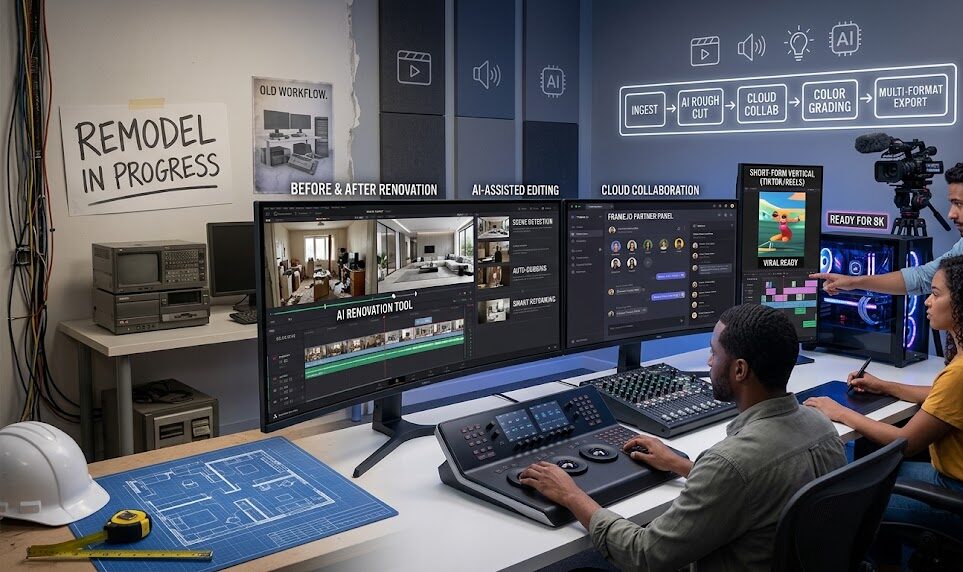

Video Editing and Production Tools for Remodelers
Video editing and production tools help remodelers turn everyday project footage into clear, trust-building content that supports local visibility and lead generation.
A remodeler does not need a full film crew to create strong social content. The right workflow can turn a walkthrough, material selection, demolition clip, before-and-after reveal, or final detail shot into polished videos for Instagram, TikTok, website content, and follow-up marketing.
For remodelers competing locally, tools matter because consistency matters. Good editing makes your work easier to understand, your brand easier to trust, and your project proof easier to reuse across the marketing system.
Why Video Editing and Production Tools Matter for Remodelers
Remodeling is visual, but raw footage alone does not always communicate value. A homeowner may see a beautiful kitchen reveal, but they also need to understand what changed, why the work mattered, how the process was handled, and whether your company feels trustworthy enough to contact.
Video editing and production tools help bridge that gap. They allow remodelers to trim unnecessary footage, add captions, improve pacing, highlight before-and-after changes, include branded elements, and structure clips so the story is clear within a few seconds.
For local remodeling brands, this is especially important because homeowners are often comparing several contractors at once. A clean, well-edited video can help your brand feel more organized, professional, and prepared before a prospect ever visits your website or books a consultation.
- Content consistency: Repeatable tools make it easier to publish regularly without starting from scratch every time.
- Trust-building: Captions, pacing, and visual clarity help homeowners understand your process and proof.
- Lead quality: Better videos educate homeowners before they contact you.
- Repurposing: One project can become reels, stories, short clips, website embeds, FAQs, and portfolio content.
- Local visibility: Strong video assets can support social reach, profile visits, and website traffic.
Video tools work best when they support a broader strategy. Connect them to video marketing for remodelers, Instagram reels and stories that convert, and social media strategy for remodelers.
What Works Today in Remodeler Video Production
The best video production workflow for remodelers is simple enough to repeat. It should help your team capture real project moments, organize footage quickly, edit for clarity, and publish content that supports trust and lead generation.
That does not mean every video needs cinematic production. In many cases, homeowners respond well to clear, useful, real footage: a walkthrough before demolition, a cabinet installation detail, a designer explaining a material choice, or a project manager showing how a layout problem was solved.
Simple Capture Workflow
Use phones or lightweight cameras to capture before shots, progress clips, detail footage, walkthroughs, and final reveals consistently.
Fast Editing Process
Choose editing tools that make trimming, sequencing, captions, cover text, and exports easy for short-form platforms.
Branded Templates
Use repeatable cover styles, intro text, captions, and CTA formats so videos feel recognizable without becoming overproduced.
Caption-First Editing
Many viewers watch without sound. Captions and on-screen text help homeowners understand the project quickly.
Project Storytelling
Edit clips around the problem, process, decision, transformation, and next step instead of only showing pretty visuals.
Repurposing System
Turn each project into multiple assets: reels, stories, TikToks, website clips, project recaps, and educational posts.
To keep production manageable, connect your editing workflow to a weekly social posting system for remodelers, a remodeler content funnel for social, and jobsite updates that become lead-generating content.
If your team has useful project footage sitting on phones but no repeatable process for editing, captioning, and publishing it, the issue is not content supply. It is workflow.
Common Video Editing and Production Mistakes Remodelers Should Avoid
Many remodelers have strong project visuals but weak production habits. The result is inconsistent posting, confusing clips, unfinished drafts, or videos that look good but do not move a homeowner toward trust or action.
Trying to Make Every Video Perfect
Perfection slows publishing. Remodelers need clean, useful, consistent videos more than occasional overproduced clips that take weeks to finish.
Editing Without a Story
A video should not be a random montage. It should show a clear problem, process, decision, result, or lesson that a homeowner can understand quickly.
Skipping Captions and Cover Text
Captions and cover text help social platforms and homeowners understand the topic. They also make videos easier to consume without sound.
Using Too Many Random Styles
Every video does not need a different look. A consistent visual system helps the brand feel more professional and easier to recognize.
Publishing Videos With No Lead Path
Good editing should support action. Captions, profile links, pinned posts, service pages, and contact paths should help viewers take the next step.
Step-by-Step Video Editing and Production Workflow
A practical production system helps remodelers capture useful footage once and turn it into multiple pieces of content without overwhelming the team.
- Build a basic shot list Create a repeatable list for every project: before footage, progress clips, detail shots, material choices, team walkthroughs, and final reveals.
- Organize footage by project Store clips in folders by project name, room type, date, and content category so editing does not become a search problem.
- Choose a primary editing tool Pick one tool your team can realistically use for trimming, captions, templates, branded text, and vertical exports.
- Create reusable templates Build templates for before-and-after reveals, project tips, FAQ clips, jobsite updates, and design decision breakdowns.
- Edit for the first three seconds Start with the most useful or visually clear moment: the transformation, problem, mistake, material choice, or homeowner question.
- Export and repurpose Use the finished clip across Instagram, TikTok, stories, website content, project recaps, and follow-up campaigns where appropriate.
Tools and Examples Remodelers Can Use
Video editing and production tools should be chosen around your team’s workflow, not around what looks impressive on a software list. A small remodeler may need simple mobile editing and templates. A larger design-build firm may need shared folders, brand assets, approvals, and a more structured production pipeline.
Mobile Editing Apps
Use mobile-friendly tools for quick trims, captions, vertical formatting, and fast publishing from jobsite footage.
Desktop Editing Software
Use desktop tools for larger project recaps, branded videos, testimonial edits, and more polished visual storytelling.
Caption Tools
Add accurate captions so videos are easier to understand, more accessible, and more effective when watched without sound.
Cloud Storage
Keep project footage organized so the marketing team can find clips without interrupting crews or project managers.
Template Libraries
Create reusable formats for reveals, FAQs, mistakes, material comparisons, walkthroughs, and homeowner education.
Approval Workflow
Use a review process so project details, tone, captions, and brand standards are checked before publishing.
Production tools become more valuable when connected to best-performing social posts for remodelers, social media metrics remodelers should track, and Instagram reels and stories that convert.
How GYRO Helps Remodelers Turn Footage Into Growth Assets
GYRO helps remodelers grow without turning video production into another full-time job. Video editing and production tools matter because remodelers already have useful content happening every week: project progress, design decisions, client questions, material choices, before-and-after moments, and finished transformations.
Instead of letting that footage sit unused, GYRO helps organize it into a repeatable publishing system. Strategist oversight keeps the content useful and brand-safe, while AI-assisted workflows help turn raw ideas and footage into SEO-aligned articles, reels, captions, local content, and social assets that support qualified lead generation.
| GYRO Growth Area | How It Supports Video Editing and Production Tools |
|---|---|
| Social Media Marketing | GYRO helps remodelers create repeatable social content systems that keep video publishing consistent and connected to lead-generation goals. |
| Instagram and TikTok | GYRO helps shape short-form footage into platform-ready content built around project proof, homeowner education, and conversion paths. |
| Website and Content | Edited video assets can support service pages, project recaps, resource content, and trust-building website sections. |
| Megaphone | GYRO’s strategist-guided content engine helps convert project footage, FAQs, social prompts, and SEO topics into consistent publishing assets. |
Frequently Asked Questions
What video editing tools should remodelers use?
Do remodelers need professional video production?
What should remodelers film for social video?
How can video editing support lead generation?
Related GYRO Resources
Use video to show expertise, process, and project proof in a way homeowners can trust.
Turn short-form visibility into profile visits, trust, and stronger next steps.
Turn everyday project progress into useful content that builds visibility and trust.