
Google Business Profile Verification for Remodelers: What to Get Right Before SEO or Ads
Before SEO or ads scale, remodelers need a clean Google Business Profile setup. Learn what to verify, document, and optimize first.
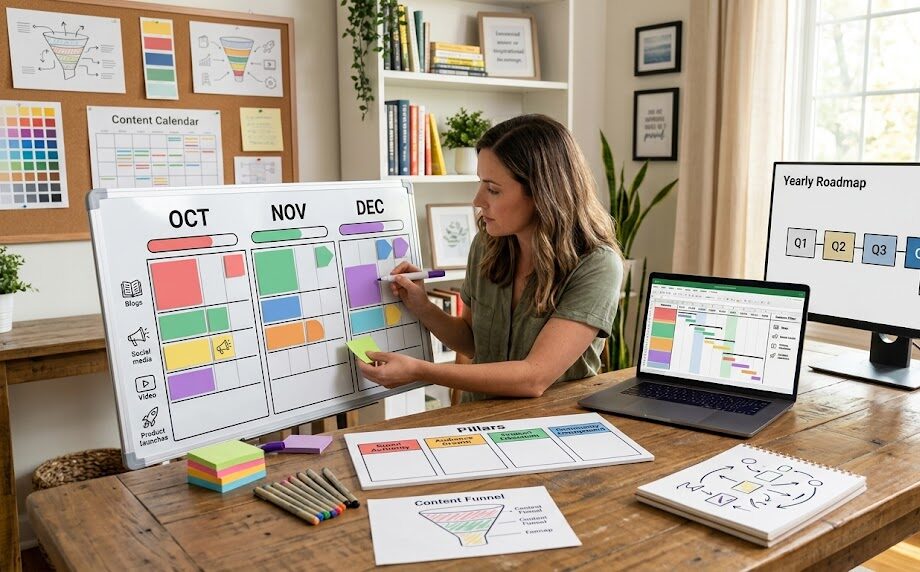
A Google Business Profile for remodelers needs a truthful business identity, the correct storefront or service-area setup, a verification proof package, accurate categories and service areas, and real post-verification assets before you spend more on local SEO or ads. In the national U.S. market, this is foundation work. It is not a housekeeping task.
If the business name is padded with services, a home office is displayed like a showroom, a virtual address is treated as a location, or the crew territory is turned into a city wish list, optimization starts on unstable ground. Verification may fail, the profile may need more proof, and every connected campaign inherits the same inconsistency.
Here is what I would do: get the business model and evidence right first, verify through the method Google actually offers, then build the photos, services, reviews, and local content around a profile you can defend.
The business serves customers in person and fits a real storefront, service-area, or hybrid model.
The name, address rules, phone, website, signs, vehicles, and documents tell the same story.
The proof is ready for whichever method Google makes available.
Categories and service areas describe the real outfit, not every keyword or city you would like.
Photos, services, reviews, posts, and optional Q&A are accurate and permission-cleared.
The profile and landing pages are clean enough to support local search and eligible ad assets.
Why Google Business Profile Setup Comes Before Optimization
Verification gives the business control of the profile. It does not guarantee a map-pack position, local remodeling leads, or a result from ads.
A remodeler may think of the profile as a listing that can be cleaned up later. That is backwards. The profile is one of the places where the business identity, location model, service territory, reviews, photos, and website connection meet. When those pieces disagree, the problem is bigger than a missing photo or empty service list.
Start with ownership. Find the existing profile before creating another one. Confirm which Google Account should control it. Make sure the account is owned by the business, not trapped with a former employee, vendor, or personal inbox nobody monitors. Claim the real profile when one already exists instead of creating a duplicate for the same operation.
A focused Google Business Profile strategy should separate three jobs: truthful setup, successful verification, and ongoing optimization. Each job depends on the one before it. More posts will not repair an ineligible address. More photos will not fix a keyword-stuffed name. More ads will not make a service area accurate.
Accuracy is the first local trust signal
The profile should represent the business as customers encounter it in the real world. That includes the business name, the address decision, the phone number, the website, hours, and the operating model. It also includes details outside Google: permanent signs, vehicles, invoices, utility records, business cards, licenses where applicable, and the website footer.
Do not make those items match by changing everything to an invented version. Match them to the truthful business. If the public name and legal name differ, document the real-world brand consistently. If the company moved, update the underlying business materials and website rather than trying to make the profile carry two identities.
A clean profile is not a ranking purchase
Google describes local results through relevance, distance, and prominence. There is no setting that lets a remodeler request or pay for a better organic local position. Accurate setup helps Google and customers understand the business. It does not create a guaranteed rank, call volume, or backlog.
Is Your Outfit a Storefront, Service-Area, or Hybrid Business?
This decision controls whether the address should be visible, what verification proof makes sense, and whether a showroom claim is defensible.
Google’s business representation guidelines draw a clear line between an address where customers are served and an address that merely receives mail or supports field operations. For remodelers, that distinction often separates a staffed showroom from a home office, warehouse, virtual office, or rented mailbox.
| Business model | What must be true | Address treatment | Remodeler example |
|---|---|---|---|
| Storefront | Customers are received at the location during stated hours, the location is staffed, and permanent signage supports the business name. | The eligible address may be shown. | A real design studio or showroom where homeowners meet the business during posted hours. |
| Service-area business | The business travels to customers and does not serve them at the operating address. | The address should be hidden; the profile uses a defined service area. | A remodeler run from a home office, warehouse, or yard where homeowners do not visit. |
| Hybrid business | The business receives customers at an eligible staffed location and also serves customers at their homes. | The address can be shown and a service area can be added. | A staffed kitchen-and-bath showroom that also sends crews to residential projects. |
| Ineligible address setup | A mailing address, virtual office, or unstaffed space is presented as a customer-facing location. | Do not use it as a storefront. | A rented mailbox or coworking address with no business staff, customer access, or permanent sign. |
Home-based remodelers should not manufacture a showroom
If homeowners do not visit the home office, hide the address and use a service-area setup. You can still verify the business and show where you work. The profile does not need to expose a private residence to prove that the company exists.
A virtual office is not a shortcut. A coworking space only supports a storefront profile when the business has the required signage, receives customers there during business hours, and is staffed by the business during those hours. A city page on the website, a mail-forwarding arrangement, or a shared conference room does not create a separate operating location.
One profile per real qualifying location
A service-area business generally uses one profile for its central operation. Separate profiles make sense only when there are real separate locations with separate staff and service areas. Do not build a profile for every city in the territory. That creates identity and ownership problems instead of local authority.
What Should Match Before You Start Verification?
The best verification prep happens before the “Get verified” button is pressed.
Build a one-page evidence sheet. Put the exact business name at the top. Add the operating address, whether it should be public, the main phone, website, primary category, real service area, hours, and the Google Account that should own the profile. Then compare those details with the website, signs, vehicles, documents, invoices, and other public business records you control.
This is the practical work behind Google Business Profile setup and verification. The profile should not be the first place you decide what the company is called or where it operates. It should reflect decisions the business has already made and can prove.
- Google Account controlled by the business
- Existing profile located and ownership status understood
- Real-world business name used consistently
- Storefront, service-area, or hybrid model selected truthfully
- Operating address confirmed and public-address decision made
- Phone and website tied directly to the business
- Primary category and limited additional categories chosen
- Actual cities or areas the crews can serve
- Signs, tools, vehicle access, and business documents ready for proof
- Private information and homeowner details removed from the recording plan
Source basis: Google’s official verification instructions say the available methods are automatically determined and may vary by business type, public information, region, and hours. A remodeler should prepare for the method shown, not promise that postcard, phone, email, or video will always be available.
Do not create a method around somebody else’s experience
Another contractor may have verified by phone while your profile is offered video. A showroom may receive a different path from a home-based service-area business. In some cases, Google may require more than one method. The correct response is to follow the options shown on the business profile and make the evidence clear.
Handle mailed verification carefully when it is offered
Mail is not available to every business. When it is offered, Google says not to edit the business name, address, or category while the code is on the way because the code may no longer work. A newly requested code invalidates the earlier one, and mailed codes expire after 30 days. After the verification steps are complete, review can take up to five business days, though some profiles may verify sooner.
Those are platform process notes, not a promise that your verification will be approved within a fixed time. A mismatch, incomplete proof, ownership issue, or recent edit may change the path.
What Proof Should You Have Ready If Google Asks for Video?
A verification video should show location, business existence, and management control in one planned sequence.
Google’s current instructions require a live, unedited, unique, complete recording with no breaks. It must be at least 30 seconds long and recorded and uploaded from a mobile device through the Business Profile. That means you should plan the route before you start instead of trying to assemble clips later.
For a service-area remodeler, begin with a location identifier near the operating address. Then show the professional tools, equipment, workspace, business cards, or branded materials that demonstrate a real remodeling operation. Finish with proof that you manage the business, such as unlocking a branded vehicle, accessing business-only storage, or showing a non-sensitive document that matches the profile name.
For a storefront or hybrid showroom, show the surrounding location, permanent business signage, the customer-facing space, and an employee-only or management-controlled area. The name visible in the video should match the Business Profile.
Keep private information and homeowners out of frame
The recording must not include sensitive account, tax, or identification numbers, private information, or other people’s faces. That matters on remodel jobs. Do not film a homeowner, readable house number, license plate, private plan set, alarm code, invoice total, or access credential just because it is easy proof. Build a privacy-safe sequence at the business base.
Do not fake the operating environment
Borrowed tools, temporary signs, staged access, or a vehicle that does not belong to the business create more risk, not more proof. Verification is an identity and control check. Use the assets that genuinely represent the outfit.
Simple recording order: location marker → business name or operating context → tools or equipment → proof of management. Rehearse the order, remove private information, then record one continuous video.
How Should You Set Categories, Service Areas, Services, and Contact Details?
The profile should describe what the business is, where it works, and how a customer reaches it. It should not read like a keyword inventory.
Choose categories for the core business
Google says to use as few categories as possible and choose categories that are specific and representative. The useful test is “This business is a…” rather than “This business has a…” A remodeler should choose the category that best describes the core operation, then add only the additional categories that truthfully describe the business.
Do not add a category because one job touched that service or because a keyword tool shows interest. Categories should match actual service delivery, website content, project proof, and the sales process. A long list can create a confused profile and misaligned inquiries.
Set service areas for crew reality
Google’s service-area guidance treats the service area as the places where the business can actually provide its work. It is entered by city, postal code, or another supported area type rather than as a ranking radius. Keep it specific. Do not pad it with distant markets that the crews cannot support or with every city where you would accept one perfect job.
Your remodeling local SEO plan should use the same real geography on the website, profile, project pages, and sales qualification. That does not mean repeating a city list everywhere. It means the market story stays consistent and each location claim has operational support.
Use the business name customers know
The name should match the real-world name used on the website, signs, stationery, and customer-facing materials. Do not add “best,” “near me,” a city, or a list of services unless those words are genuinely part of the business name and supported by real-world proof.
Keep phone, website, and hours useful
Use a phone number under the business’s direct control and a website that represents the same location or operation. Confirm the landing page works on mobile and makes the next step clear. Publish hours that match when the business can reasonably respond or receive customers, and use special hours when real holiday or seasonal changes apply.
What Photos, Services, Reviews, Posts, and Q&A Should Be Ready After Verification?
Verification opens the door. The profile still needs real material that helps a homeowner understand and trust the business.
Use real project and operating photos
Prepare a balanced set: exterior or location context where appropriate, showroom or office, vehicles and equipment, team-at-work images with permission, and finished projects that represent the scopes you want. Keep the images focused and well lit. Avoid heavy alteration, fake branding, unreadable AI-generated details, and photos that expose homeowner addresses, faces, or private documents.
Photos and videos show publicly after verification. Treat them like project proof, not filler. A kitchen-heavy profile will send the wrong signal when bathrooms or additions are the growth priority. Use the service mix the business can actually deliver.
List services the sales team can stand behind
Service descriptions can clarify project types and homeowner fit. Keep them factual. Do not add a service because it sounds adjacent. If the outfit does not want repair-only calls, do not imply that it handles every repair. If design is part of the process, explain it consistently on the website. If prices are shown, they must be current, approved, and framed as the business intends.
Build a genuine review request and response process
Google prohibits review incentives. Do not trade discounts, gifts, entries, or favors for a review. You can ask a real customer for feedback with a review link or QR code and reply to reviews. The better operating question is when the experience is clear enough for a request and who follows up without pressuring the customer toward a positive rating.
A practical reputation and review system should connect the request to real project milestones, make the link easy to use, and give the owner a consistent response habit. It should never script a false experience or ask only selected customers to say something specific.
Treat Q&A and posts as optional tools, not ranking rituals
Business Profile Q&A is available only for select categories and regions, and features can change. Use it only when it appears and you can keep answers accurate. Posts can share current text, photos, or video in Search and Maps. Publish real updates, changed hours, project education, or timely information. Do not claim that a fixed posting cadence will improve rank or produce leads.
How Does a Clean Profile Connect to Local SEO and Google Ads?
A clean profile supports a consistent local entity and can supply eligible location information to ads. It does not replace the website, sales process, or measurement plan.
For local SEO, the profile and website should agree about the business name, phone, service model, areas served, and core services. The website still needs service pages, local proof, useful project content, and a working contact path. The profile gives a searcher another way to understand and contact the business; it should not be forced to carry every detail.
For Google Ads, a Business Profile can be linked for location assets so eligible campaigns can use profile information such as address, phone, hours, photos, or video. That connection is a data and presentation feature. It is not required for every ad type, and it does not guarantee better results.
Before spending more, confirm the profile points to the right page, the phone is answered as planned, the site explains the project fit, forms are tested, and lead sources are tracked. A click that reaches a vague service page is still a vague sales opportunity.
- The verified profile has the correct owner and business model.
- Name, address treatment, phone, website, and hours are accurate.
- Categories and service areas match real operations.
- Photos and services represent the work the outfit wants.
- Review requests follow policy and responses are handled consistently.
- The linked landing page answers scope, market, proof, and next step.
- Calls and forms are tested and connected to lead-quality follow-up.
That is where profile and local lead optimization becomes useful: not as a bag of ranking tricks, but as a disciplined check that the business information, trust assets, website path, and measurement all agree.
When Should You Stop Editing and Get Help With a Verification Issue?
Stop making random changes when the verification path is unclear or a rejection repeats. More edits can create more evidence to reconcile.
Ask for help when the business cannot locate the existing owner, a duplicate profile is creating confusion, the “Get verified” button returns after an attempt, a video is rejected and the stated issue is not clear, or Google asks for re-verification after important profile changes. Document what happened before changing the name, address, category, or account again.
Save screenshots of the profile state and messages. Record the exact account with access. List recent edits. Gather the same proof package used for verification. Keep business documents private and share them only through the appropriate support path when requested. Do not publish confidential records in a public community forum.
Most important: do not create a new profile as a reflex. A second profile can create a duplicate rather than solve the original ownership or verification problem.
Frequently Asked Questions About Google Business Profile Verification
Should a home-based remodeler show a home address?
No, not when customers are not served at that address. Use a service-area business setup and hide the address. The business can still show the areas it serves and verify with real location, equipment, and management proof.
When does a remodeling showroom count as a storefront?
When customers are genuinely received there during stated hours, the location is staffed by the business, and permanent signage supports the real-world name. A mailing address, occasional rented room, or unstaffed coworking space does not automatically qualify.
Can a remodeler choose the verification method?
No. Google automatically determines the methods offered to the profile, and some businesses may need more than one. Prepare accurate evidence for the option shown rather than expecting the method another contractor received.
What should a service-area remodeler show in a video?
Plan a continuous sequence showing a location identifier, professional tools or equipment, and proof that you manage the business. Keep homeowner faces, private addresses, IDs, account numbers, and confidential documents out of frame.
Can I create a profile for every city I serve?
Not unless each profile represents a real separate qualifying location with separate staff and service area. A service-area business generally uses one profile for the central operation. City pages and broad crew territory do not create additional locations.
What should I avoid editing while a mailed code is pending?
Google says not to edit the business name, address, or category because the mailed code may no longer work. Do not request another code unless needed, because the earlier code is invalidated. Codes expire after 30 days.
Get the Profile Ready Before You Spend More
Not sure your profile is ready for SEO or ads? Ask GYRO to review the setup, verification status, categories, service areas, and local lead readiness. Send your business name, website, real service areas, and current profile status so I can take a real look at the situation.
Thirty minutes. No pitch. Just straight talk about what needs to match, what proof is missing, and what to fix next for a national U.S. remodeling business.